


Mitsubishi Triton MN Throttle Controller (2009–2015) | Roar 4X4
Roar 4X4
✓ Confirmed Compatible — Plug Type: 609Free shipping on throttle controllers.
- AI Learning
- 6 modes × 9 levels
- Plug & play
- Plug 609
Check your plug: fitment depends on the vehicle. Before ordering, check the plug on the back of your accelerator pedal (this kit uses plug 609). Not sure? Email admin@roar4x4.com a photo of your plug.
✓ Australian Owned & Operated
YES IT FITS — Mitsubishi Triton MN Throttle Controller (2009–2015) | Roar 4X4· Plug 609
Features
- AI Learning
- 6 driving modes × 9 sensitivity levels
- Plug & play — no ECU flash
- Overtake / anti-theft modes
- Day/night auto-dim display
What’s in the box
- Throttle controller unit
- Vehicle loom(plug 609)
- Dash mount
- Instructions
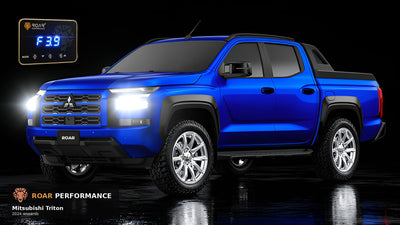
Triton MN throttle controller for the Mitsubishi Triton MN (2009–2015)
Mitsubishi Triton MN throttle controller, 2009 to 2015
The Triton MN throttle controller is Roar 4X4's plug-and-play unit for the Mitsubishi Triton MN, in Australia from October 2009, for model years 2009–2015. The MN update brought a new front bumper, grille and side turn lamps, and GLX-R gets a honeycomb grille. On lower grades the ML and MN look very similar.
- Mitsubishi Triton MN, 2009–2015. In Australia from October 2009.
- 2009–2015 · All models · diesel & petrol
- Plug: Plug Type 609. The factory plug list gives Plug 609 for the Mitsubishi Triton 2005–2015 (ML/MN), all engines.
- Not this page: The later Triton (2016 onwards) uses a different plug.
Plug 609 is for the Mitsubishi Triton MN (2009 to 2015). At the lights, in traffic, and off-road, the pedal feels more responsive when moving off, a match for an older Triton used as a work and weekend ute.
Product Specifications
| Brand | Roar 4X4 |
| Suits | Mitsubishi Triton (2009–2015) |
| Type | Performance Throttle Controller |
| Plug Type | 609 |
| Installation | Plug & Play — No Wiring Required |
| Setup | A very simple plug-and-play process |
| Driving Modes | 6 Modes + 9 Sensitivity Levels |
Vehicle Compatibility — Does This Fit My Triton?
| Make | Model | Year Range | Plug Type | Compatible |
|---|---|---|---|---|
| Mitsubishi | Triton | 2009–2015 | 609 | ✅ YES — IT FITS |
Check the compatibility table above to confirm this throttle controller fits your exact vehicle. Not listed? Contact our team or use our Vehicle Compatibility Finder.
Key Features
- ✅ Sharper Pedal Response: reduces the delay you feel when you press the pedal
- ✅ 6 Driving Modes — Economy, Off, Comfort, Sport, Race, and Auto to suit any driving condition
- ✅ 9 Sensitivity Levels — Fine-tune throttle response to your exact preference
- ✅ AI Learning Mode — Adapts to your driving style over time for optimal performance
- ✅ Anti-Theft Security Mode — Limits throttle input to help deter unauthorised vehicle use
- ✅ Day/Night Sensor — Auto-brightness control for safe, glare-free viewing
- ✅ Transmission Settings — Manual (HHH) or Auto (AAA) modes for precise control
- ✅ Quick Race Mode: long-press the M button to switch straight to Race Mode
- ✅ 100% Plug & Play — No cutting, no splicing, no tools required. Plug Type 609 pre-matched for your Triton
Why Fit a Throttle Controller to Your Mitsubishi Triton?
Modern drive-by-wire vehicles like the Mitsubishi Triton use electronic throttle control, which introduces a factory-programmed delay between pressing the accelerator and engine response. You notice it most when merging, overtaking, towing, or driving off-road.
The Roar 4X4 Throttle Controller changes how the pedal signal is sent, so the pedal feels more responsive. It doesn't increase horsepower or torque. It changes how quickly the pedal responds. Sport and Race modes provide sharper response for overtaking and off-road driving.
What's in the Box
- ✅ Roar 4X4 Performance Throttle Controller Unit — With LCD display
- ✅ Vehicle-Specific Wiring Harness — Plug Type 609 for Mitsubishi Triton
- ✅ Mounting Bracket & Adhesive Pad — For dashboard mounting
- ✅ Fitting Instructions — Universal installation guide
Confirm your plug — please check your plug type as per the picture
Before you install, match the plug-face photo in the gallery to the connector on your accelerator pedal. Pin layout, housing shape, and lock colour must match. Then download the installation instructions for verification. If you are unsure, contact support with a clear photo of your plug before ordering.

- Please check your plug type as per the picture before install.
- Unplug the pedal connector and compare pin layout / housing / lock colour.
- Download installation instructions for verification: TC instruction manual (PDF).
- If it does not match, or you are unsure, contact support with a clear photo of your plug.
Fitting Instructions — Throttle Controller Installation
🔧 Setup is a very simple plug-and-play process. No tools required.
- Locate Throttle Pedal: Find the electronic connector on your Triton's accelerator pedal — it's the plug at the top of the pedal.
- Plug In Controller: Disconnect the factory connector. Plug the Roar controller (Plug 609) between the pedal and factory harness.
- Mount & Drive: Secure the display on your dashboard. Start your Triton and select your preferred driving mode. Done!
Installation is the same for all vehicles — simply match the plug type to your accelerator pedal connector. No cutting, splicing, or tools required. Fully reversible — remove anytime to return to factory settings.
Frequently Asked Questions — Mitsubishi Triton Throttle Controller
How do I know Plug Type 609 is correct for my Triton?
Plug Type 609 is confirmed compatible with the Mitsubishi Triton (2009–2015). The connector is specifically designed to match your vehicle's electronic throttle pedal. If you're unsure, contact our team with your vehicle details.
Does it increase power or just throttle response?
The throttle controller adjusts how quickly your Triton's existing power is delivered — it does not increase horsepower or torque. It changes the pedal signal so the response feels quicker. Engine output does not change.
Can I use it while towing with my Triton?
Absolutely. You can use Sport or Race mode while towing to get better response when merging, overtaking, or climbing hills.
Is it compatible with aftermarket ECU tunes or chips?
Yes. The throttle controller works independently of ECU tunes, performance chips, or exhaust modifications. It complements these upgrades by giving you finer control over throttle delivery.
What does Anti-Theft Mode do?
Anti-Theft Mode dramatically reduces throttle input, making the vehicle very difficult to drive. This provides an additional layer of security against unauthorised use of your Triton.
Shipping & Returns
📦 Shipping: Free shipping on throttle controllers within Australia. In-stock items typically dispatch within 2–5 business days. Allow 2–14 business days in transit depending on location. Australia only — we do not ship to P.O. boxes. Shipping for other products is calculated at checkout.
↩️ Returns: Change of mind: you can return this throttle controller within 30 days of delivery if it is in as-new condition (no scratches, grease or adhesive), complete and in its original packaging. You pay the return freight. If it arrives faulty, damaged or incorrect, email admin@roar4x4.com with your order number and photos, ideally within 30 days of delivery, and do not post it back until we reply. We test returned products: if it works correctly, or the problem came from fitting, setup or not following the instructions, we send it back to you and you pay the freight both ways. Your rights under the Australian Consumer Law still apply. Full details: Refund policy.
Install · Modes · Fitment — Mitsubishi Triton MN Throttle Controller (2009–2015) | Roar 4X4
Locate Throttle Pedal
Find the electronic connector on your accelerator pedal in the driver's footwell. It's the plug going into the top of the pedal.
Disconnect Factory Plug
Unplug the factory connector from the throttle pedal sensor. Press the release tab and pull gently.
Plug In Controller
Connect the Roar controller harness between the pedal sensor and the factory connector. It goes inline.
Route Display Cable
Route the display unit cable neatly along the centre console or dashboard to your preferred mounting location.
Mount Display Unit
Secure the display unit on your dashboard using the supplied adhesive mount. Choose a visible, accessible spot.
Start & Select Mode
Start your vehicle. The controller powers on automatically. Select your preferred driving mode and sensitivity level.
Setup is a very simple plug-and-play process · No tools required



Confirm make / model / year — throttle controllers only on Roar Performance.
 Mitsubishi Triton MN Throttle Controlle...
$169.00